How to Reduce Response Time With AI: 7 Proven Methods
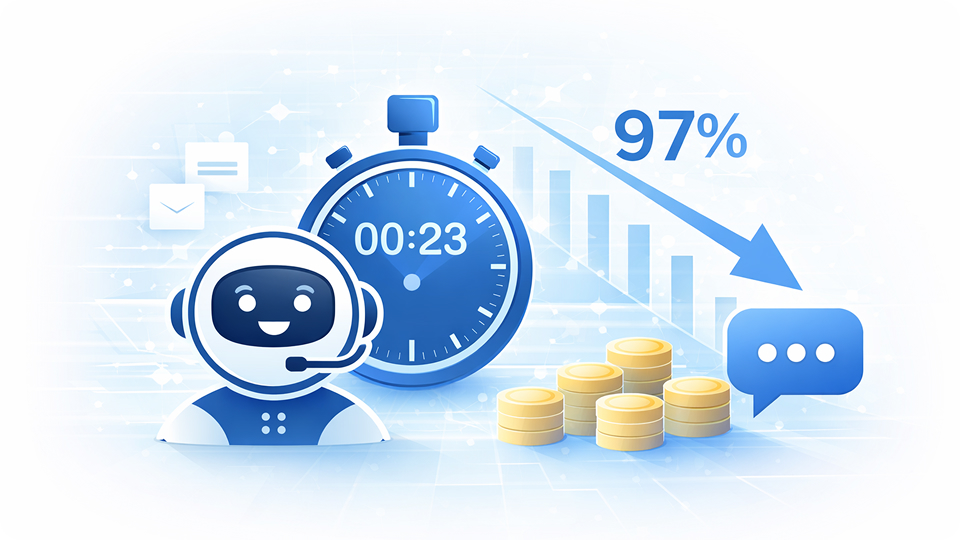
Table of Content


How to Reduce Response Time With AI: 7 Proven Methods (2026 Data)
The average customer service team takes 7 hours to send its first reply. Teams using AI? They do it in under 23 seconds.
That’s not a typo. It’s a 97% reduction, and it’s happening.
Here’s why this matters: 59% of your customers will leave after just one poor experience. And 60% of them define “immediate” as within 10 minutes. Your support queue isn’t just a backlog. It’s a revenue leak.
This guide breaks down 7 proven AI-powered methods that slash response times, backed by 2025 to 2026 benchmark data and real case studies. You’ll also get a step-by-step implementation roadmap and cost analysis so you can build a business case today.
TL;DR: AI reduces customer service first response time by up to 97%, from 15 minutes to 23 seconds, while cutting costs from $6-8 to $0.50 per interaction. The fastest path? Deploy AI chatbots for your top FAQs, add intelligent ticket routing, and layer in agent-assist tools. Most companies see ROI within 6 months and 30-55% annual cost savings.
Why Does Response Time Matter More Than Ever in 2026?
Sixty-three per cent of customers leave a company after one bad experience, and 60% expect a reply within 10 minutes. Those two numbers alone should keep every CX leader up at night.
But here’s what makes 2026 different from five years ago. Customer expectations aren’t just rising. They’re diverging by channel. Your live chat visitors expect an answer in 30 seconds. Your email contacts expect a reply within 4 hours. And your social media followers? They’re watching the clock too.
The gap between what buyers expect and what most teams deliver is massive. Companies responding within 5 minutes are 21x more likely to qualify a lead than those who wait 30 minutes. Meanwhile, the average B2B support team is still clocking 7-hour first reply times.
Speed isn’t just about satisfaction anymore. It’s a revenue multiplier.
The takeaway? Every channel has a gap between what customers expect and what teams deliver. And that's where revenue disappears.
How Does AI Actually Reduce Response Time?
AI reduces first-reply time by working across four layers simultaneously. It’s not one feature doing the heavy lifting. It’s a compounding stack.
Think of it as a Response Time Stack, four layers that each shave off time and together produce results no single tool can match:
The Response Time Stack: Most companies deploy one AI tool and expect magic. The real gains come from stacking four layers: (1) AI chatbots for instant first response, (2) intelligent routing to eliminate triage delays, (3) AI-assisted drafting to speed up agent replies, and (4) self-service deflection to reduce queue volume. Each layer compounds the one before it.
Layer 1: Instant Triage. AI chatbots handle first contact in under a second, answering FAQs and collecting context before a human ever sees the ticket.
Layer 2: Smart Routing. Automation classifies intent, urgency, and topic, then routes the ticket to the right agent instantly. No more manual sorting.
Layer 3: Agent Augmentation. AI drafts suggested responses from your knowledge base and past tickets. Agents review, tweak, and send, cutting their drafting time by half.
Layer 4: Self-Service Deflection. AI-powered knowledge bases and help centres resolve questions before they become tickets.
AI-assisted agents resolve issues 47% faster and achieve 25% higher first-contact resolution rates than unassisted agents. That’s not replacing your team. That’s making them faster.
What Are the Best Ways to Reduce Response Time With AI?
Here are seven practical methods you can start implementing today. Each one is broken into actionable steps, so you know exactly what to do, not just what works in theory. You don’t need all seven on day one. Start with the first two and build from there.
1. Deploy AI Chatbots for Instant First Response
Your chatbot is the frontline. It greets every visitor, answers the repetitive questions your team handles daily, and only escalates what truly needs a human touch. Here’s how to set it up:
• Audit your ticket history. Pull the last 90 days of support tickets and identify the top 20 most-asked questions. These are your automation targets, and they likely cover the majority of your inbound volume.
• Choose a no-code bot builder. Look for a platform that lets you build from pre-built templates or start from scratch. ReplyCX’s Bot Builder, for example, offers both options with drag-and-drop flow design.
• Pick your highest-traffic channel first. Deploy on your website, WhatsApp, or Facebook Messenger, depending on where most of your conversations happen. Don’t try to cover every channel at once.
• Train the bot on your actual knowledge base. Feed it your product docs, return policies, shipping FAQs, and help articles. The more specific the training data, the better the responses.
• Design clear escalation paths. Set up handoff triggers so the bot routes complex queries to a live agent with the full conversation context attached. The customer should never repeat themselves.
• Expand coverage week by week. Start with 20 FAQs, then add more flows as you review chatbot reports: abandonment rate, engagement rate, and CSAT scores will tell you what to add next.
2. Use AI-Powered Ticket Routing and Triage
Manual triage burns hours every day. Someone reads each ticket, categorises it, and forwards it to the right person. Intelligent routing eliminates that bottleneck.
• Map your ticket categories. Most teams have 10-15 distinct categories that cover 90% of volume. Document each one: billing, shipping, returns, product questions, technical issues, and so on.
• Set up intent detection. Configure your AI to read incoming messages, classify the intent using NLP, and auto-assign a category. This removes the manual sorting step completely.
• Configure priority levels. Tag tickets as Low, Medium, High, or Urgent based on keywords, customer tier, or issue type. Set escalation rules so that high-priority tickets are automatically flagged to supervisors.
• Assign by agent skill and workload. Route billing tickets to your billing team, and technical issues to your product specialists. Avoid round-robin assignment; it wastes time sending complex issues to the wrong person.
• Automate ticket creation from conversations. In ReplyCX’s ticketing system, conversations automatically convert to tickets. Each ticket captures the subject, description, requester, assignee, priority, and status from the start.
• Set up SLA timers. Define response and resolution timelines per ticket type. Tickets that breach the SLA are automatically flagged, and escalation rules notify supervisors of overdue items.
3. Enable AI-Assisted Agent Responses
Your human agents are spending too much time drafting replies from scratch. AI-assisted responses give them a pre-written starting point for every ticket, so they can review, tweak, and send in seconds instead of minutes.
• Connect your knowledge base to AI. Upload your product documentation, past ticket resolutions, and help articles into an AI knowledge base. In ReplyCX’s AI Agent Studio, you can use website URLs or documents as data sources.
• Configure the AI assistant’s personality. Write clear instructions for how you want responses generated. Set the tone (professional, friendly, concise), define what the AI should and shouldn’t answer, and give it a name to make it feel consistent.
• Set up the Answer AI block in your bot flow. This block pulls context-aware responses from your knowledge base whenever a customer asks a question. If the AI doesn’t have an answer, it triggers a fallback that routes to a live agent.
• Add fallback measures for every flow. After the AI answers, ask the customer: “Did this answer your question?” If not, route immediately to a human agent with the full conversation attached.
• Let agents use AI-drafted replies in live chat. When an agent picks up a ticket, the AI suggests a response based on the knowledge base and past resolutions. The agent reviews, edits if needed, and sends. This cuts drafting time significantly.
• Review and improve weekly. Check which AI responses customers rated as unhelpful. Update the knowledge base to fill gaps. The AI gets smarter the more you feed it.
4. Build an AI-Powered Self-Service Knowledge Base
Most customers would rather find the answer themselves than wait for a reply. Give them a self-service experience that actually works.
• Create a knowledge base from your existing content. Use your website URLs, product docs, and help articles as the foundation. In ReplyCX’s AI Studio, you can point the system at your domain, and it will fetch and index all relevant pages.
• Organise by topic clusters. Group articles by category: getting started, billing, troubleshooting, integrations, and so on. Make sure every article has a clear title and covers one specific question.
• Connect it to your chatbot. Your knowledge base shouldn’t live in isolation. Wire it into your chatbot so when a visitor asks a question, the bot pulls the most relevant article and delivers the answer inline.
• Turn resolved tickets into new articles. Every time your team resolves a unique question, capture that resolution as a potential FAQ entry. Over time, your knowledge base grows organically with real customer problems.
• Keep it fresh. Set a monthly review cadence. Products change, policies update, features launch. Stale knowledge base articles create more confusion than they solve.
5. Implement Proactive AI Communication
What if you could resolve issues before customers even reach out? Proactive communication shifts your support team from reactive to preventive.
• Set behavioural triggers for common friction points. Configure alerts for usage drops, failed payments, abandoned carts, or stalled feature adoption. Each trigger represents a potential support ticket you can prevent.
• Build outbound chatbot flows. ReplyCX supports outbound chatbots that push personalised messages triggered by specific conditions. A customer’s payment fails? The bot sends a helpful message with steps to update their billing info before they even consider emailing support.
• Automate onboarding check-ins. New customers often churn because they get stuck. Set up automated touchpoints at day 1, day 3, and day 7 after signup. Ask: “Need help getting set up?” and offer relevant help articles.
• Use proactive messages on high-intent pages. If a visitor is lingering on your pricing page or integration docs, trigger a chatbot message: “Have questions about pricing? I can help.” This catches potential support tickets before they’re created.
• Track which triggers convert. Not every proactive message will land. Review which triggers actually reduce inbound tickets and which get ignored. Double down on what works.
6. Set Channel-Specific AI Response SLAs
Not every channel needs the same reply speed, but every channel needs a target. Without defined SLAs per channel, your team is guessing at priorities.
• Define target response times for each channel. Here’s a practical starting point:
• Configure different automation levels per channel. Full chatbot coverage in live chat makes sense, as customers expect instant replies. For email, AI triage and suggested replies are more appropriate, since the complexity is usually higher.
• Use an omnichannel platform to manage all SLAs from one dashboard. ReplyCX lets you configure channel-specific automation from a single interface: deploy bots to the web, WhatsApp, Facebook, Instagram, and SMS without separate tooling for each channel.
• Set up SLA breach alerts. When a ticket is approaching its response time target, notify the assigned agent. When it breaches, escalate to a supervisor. Automation should handle the routine; alerts catch what slips through.
• Review SLA performance weekly. Pull your analytics to see which channels are meeting targets and which are lagging. Adjust automation coverage or staffing accordingly.
7. Unify All Channels With Omnichannel AI
The biggest time-waster in multi-channel support is lost context. A customer starts a live chat, follows up with an email, then DMs on Instagram, and each time they explain their issue from scratch.
• Bring every channel into one platform. ReplyCX manages Website, WhatsApp, Facebook, Instagram, SMS, Email, and Audio Chat from a single command centre. When a customer switches channels, the agent sees the full conversation history.
• Ensure conversation continuity. Configure your platform so that when a buyer moves from WhatsApp to email, their ticket carries over. No duplicate tickets, no lost context, no wasted time.
• Deploy channel-specific bots from one builder. Build your chatbot once and deploy across the web, WhatsApp, and SMS. Adjust the flow for each channel’s format, but keep the knowledge base and logic consistent.
• Centralise your analytics. Track chatbot performance, agent performance, and live chat metrics from one dashboard. ReplyCX’s analytics suite covers conversations, visitors, CSAT, engagement rate, abandonment rate, and peak interaction times across all channels.
• Integrate with your existing tools. Connect your omnichannel platform to your CRM, e-commerce tools, and helpdesk via native integrations, REST APIs, or custom setups. ReplyCX supports Salesforce, HubSpot, Shopify, and more through its App Market and Service Call action blocks.
What Does AI Customer Support Actually Cost?
AI chatbot interactions cost $0.50 per interaction compared to $6-8 for human agents, a 12x cost advantage, with companies seeing $3.50 return for every $1 invested. And the ROI compounds over time.
Let’s break that down by channel. The cost difference isn’t uniform. It varies based on complexity and interaction length.
The numbers tell a clear story. Phone support carries the widest cost gap: $0.70 for AI versus $12 for a human agent. That’s a 17x difference. So where should you invest first?
Here’s the ROI trajectory most companies experience:
- Year 1: 30-40% cost reduction, ROI breakeven within 6 months
- Year 2: 45-55% cost reduction as automation coverage expands
- Year 3: 55%+ cost reduction with compounding efficiency gains
What we’ve observed: Companies that start with a single channel (usually live chat) and expand AI coverage to email and social within 90 days consistently see the strongest ROI curves. The ones who try to automate everything at once tend to stall during implementation. Start narrow. Scale fast.
For a detailed breakdown of how analytics can track your AI support performance, the metrics section below covers exactly what to measure.
How to Measure Success: Key Metrics to Track
Once you’ve deployed your AI stack, track these seven metrics weekly to know what’s working and where to optimise next. Are you measuring these already or flying blind?
Use your support analytics dashboard to benchmark these numbers before deployment, then compare weekly. The trends matter more than any single data point.
Seu futuro começa com uma conversa.
- Chamada de 30 minutos sem compromisso
- Demonstração ao vivo do produto para que você possa ver como o atendimento ao cliente com IA ajuda sua empresa a crescer.
- Descubra como podemos personalizar o ReplyCX para atender às necessidades do seu setor e da sua empresa.
What to Do Next
The data is clear. AI doesn’t just shave minutes off your response time. It can cut it by 97%. Here’s what matters most:
- AI reduces first response time by 70-97% across every channel
- The cost advantage is 12x ($0.50 vs. $6-8 per interaction)
- Start with chatbots for your top 20 FAQs plus AI routing. Expect results in 60-90 days.
- Always pair AI with human agents for complex issues that need empathy
- Track FRT, CSAT, resolution rate, and cost per interaction to measure what’s working
The companies winning on response time aren’t waiting. They’re deploying AI in layers, chatbot first, routing second, agent-assist third, compounding their speed advantage every month.
Want to know where your response times stand today? Book a free trial with ReplyCX and get a personalised roadmap to reduce reply time across every channel your customers use.
Frequently Asked Questions
What is a good first response time for customer service?
Top-performing teams achieve response times of under 1 minute for live chat, under 4 hours for email, and under 1 hour for social media. The industry average is 7 hours. AI-powered teams consistently beat these benchmarks because automated first responses happen in seconds, not minutes.
How much does AI customer support cost?
AI chatbot interactions average $0.50 per interaction versus $6-8 for human agents, a 12x cost advantage. Most companies see full ROI within 6 months and 30-55% annual cost savings. The initial setup investment varies by platform, but cloud-based tools like ReplyCX minimise upfront costs.
Will AI replace human customer service agents?
No, and that’s not the goal. AI handles routine queries (up to 80% of the volume) while human agents handle complex, high-value conversations that require empathy and judgment. Gartner predicts that 50% of companies that cut CS staff due to AI will rehire by 2027 (Gartner, 2025). The winning model is AI plus human collaboration, not replacement.
What are the best AI tools for reducing response time?
The right tool depends on your channels, ticket volume, and integration needs. Top-rated AI chatbots for customer service include platforms with chatbot builders, AI agent studios, intelligent routing, and omnichannel support. Look for tools that integrate with your existing CRM and offer no-code deployment, like ReplyCX, which combines all four capabilities in one platform.
